
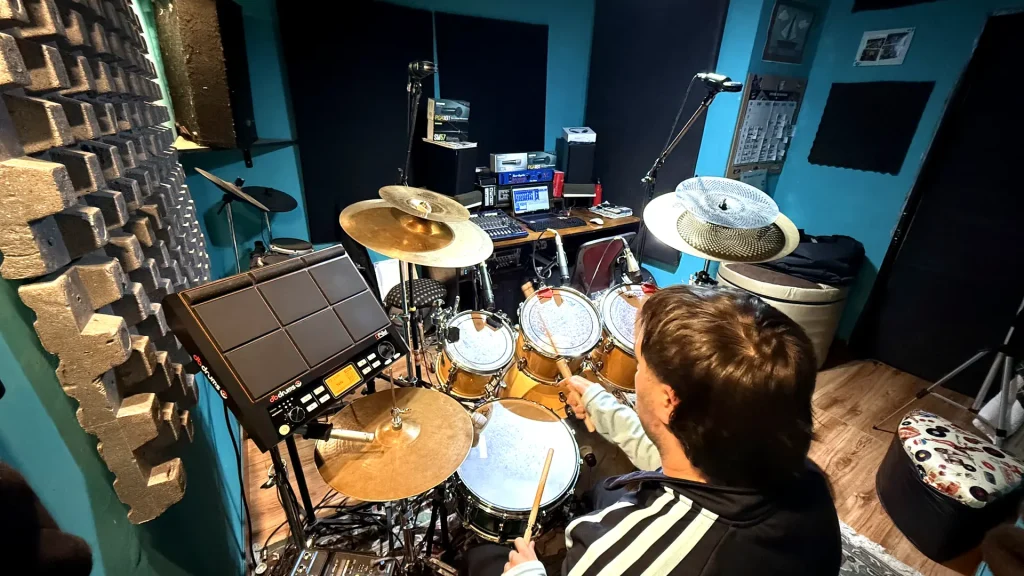
Here’s My Process for Recording Your Drums Remotely
I get asked this a lot: how does remote drum recording actually work? How do I step into a song I didn’t write? How do I make sure the drums end up sitting right in the rest of the production? Here’s a step-by-step walkthrough of my process, from the moment I receive a track to the moment I send back the final recording — whether it’s a single song or a full album.
1. The Reference
It all starts when the producer or artist reaches out and sends me two things:
- A reference track with drums already on it (programmed or from another recording), so I can hear where the song is going, what mood it has, and what’s expected from the drums.
- The clean track, without drums, which is the one I actually record the real drums over.
That reference also helps me figure out what I need sound-wise: what tuning and what sound I’m going to give the kit for that particular song, how to mic it, and so on. But beyond the technical side, this is also the moment where I try to understand the soul of the song — the character already built into the melody and composition. The drums should shape themselves to that spirit, not impose themselves on it.
2. Technical Specs
Before setting up the session, I set the sample rate based on what each client needs — it can be 44.1 kHz or 48 kHz, depending on the project — and I always work at 24-bit.
3. Tempo and Click
One key thing: the track I receive has to come in with a defined, stable tempo. From there, I add the click in my recording DAW. I always record to click — it gives me a lot more precision and makes the whole process faster and cleaner. It’s also essential in cases where the client asks for several different takes of the same song to later combine parts from each one: if everything is recorded to the same exact tempo, piecing that final edit together across takes is much simpler.
4. The Recording
Once the session is set up, I record the full kit. By default I work with 10 to 12 channels (kick, snare, hi-hat, toms, overheads, etc.), but that varies depending on what the song calls for: if a track doesn’t need every tom miked, for example, those channels simply don’t get generated. That’s why the range sometimes drops to 9 or 10 tracks — but 10 to 12 is the most common.
5. The Sample and Approval
Once the drums are recorded, I put together a sample and send it to the producer or artist. If they ask for changes, it can often be solved by combining and editing different parts from the takes I already recorded. Once they confirm everything sounds right, I move on to the final stage.
6. Export and Delivery
I export all the recorded channels raw (no extra editing or mixing), and send them through whatever platform works best for you — email, Dropbox, WeTransfer, Google Drive, whatever you’re most comfortable with. Whether it’s a single track or a full album, the process stays the same.
That’s the full workflow behind every remote recording session, in a nutshell.
Are you an artist or producer who feels like you can’t quite find the way to give your song the soul it needs? Send me a message and let’s talk about it.